
4.8 (250+) Reviews on
App Store
4.8 (250+) Reviews on
App Store
Ultra-light virtualization for Apple Silicon
Ultra-light virtualization for Apple Silicon
Run macOS and Linux virtual machines with minimal overhead using Apple’s native virtualization framework.
Run macOS and Linux virtual machines with minimal overhead using Apple’s native virtualization framework.
Built for developers, testers, and power users who want native virtualization without the bloat.
Built for developers, testers, and power users who want native virtualization without the bloat.
Solutions
Smart virtualization for modern Mac workflows
Create, run, and manage virtual machines in a clean interface built for speed, control, and simplicity.
Lightweight runtime
Run virtual machines with minimal resource overhead on Apple Silicon.
macOS support
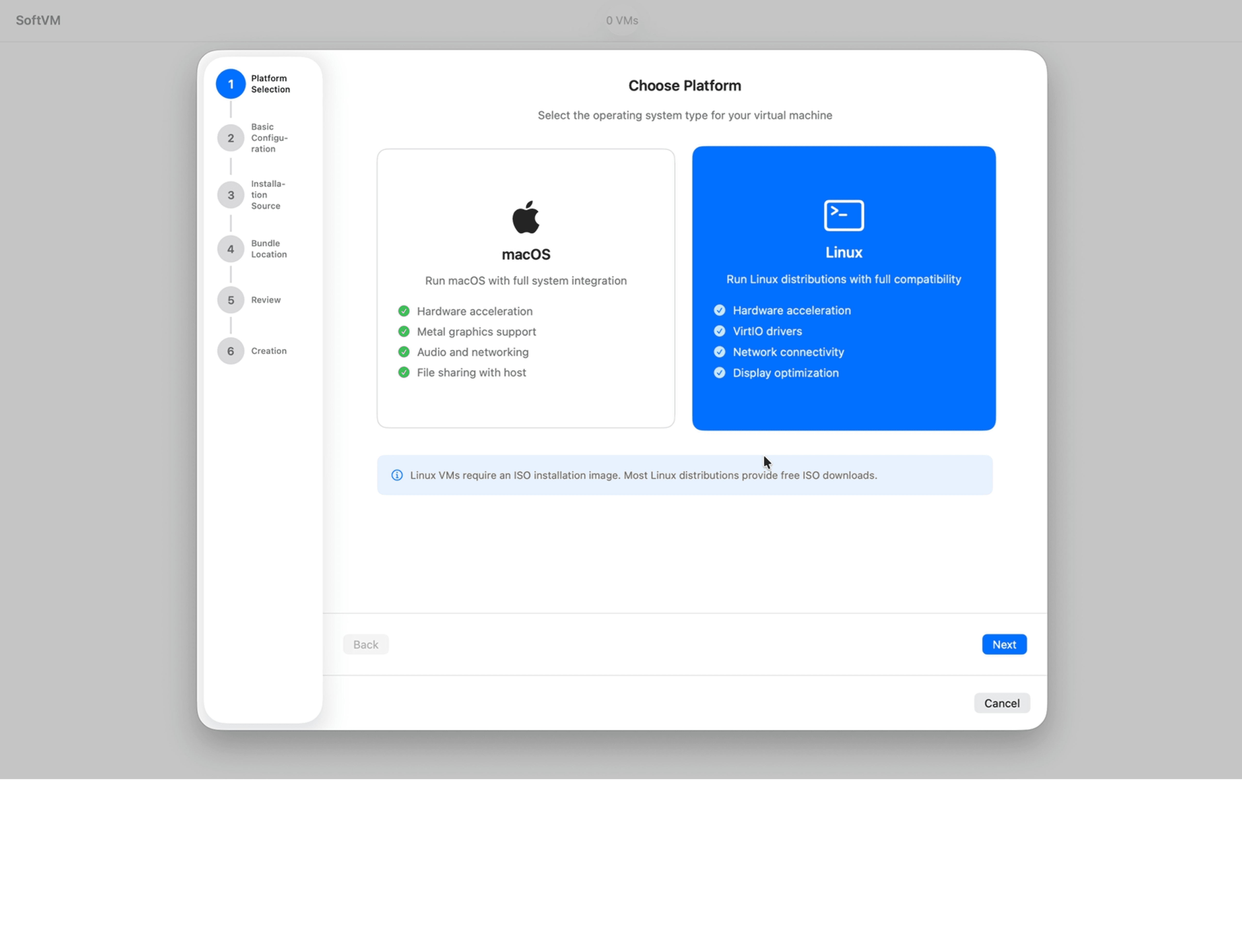
Create macOS virtual machines for testing, isolation, and development.
Linux support
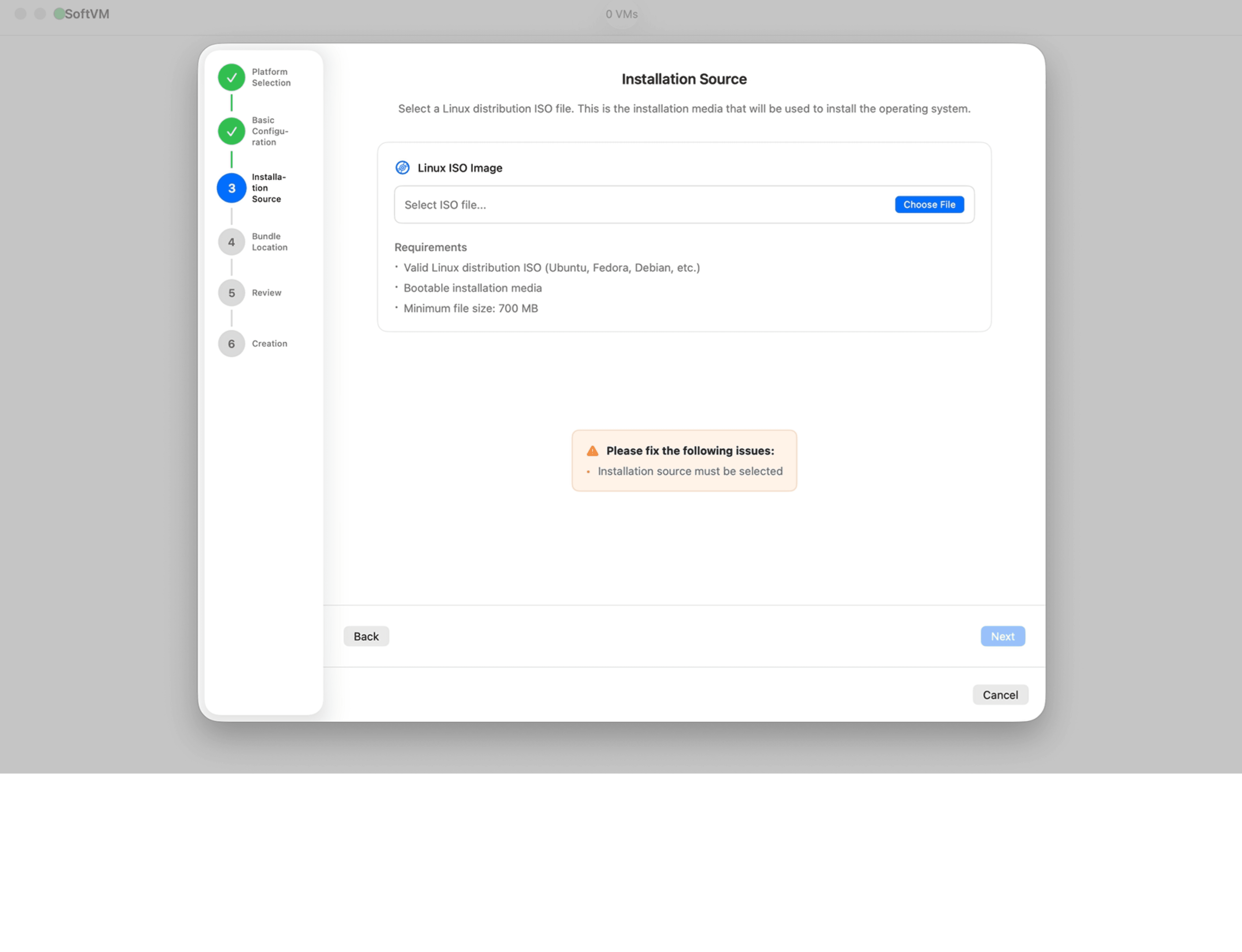
Run Linux environments alongside your main macOS setup.
Simple controls
Start, stop, and manage virtual machines from one dashboard.
Resource tuning
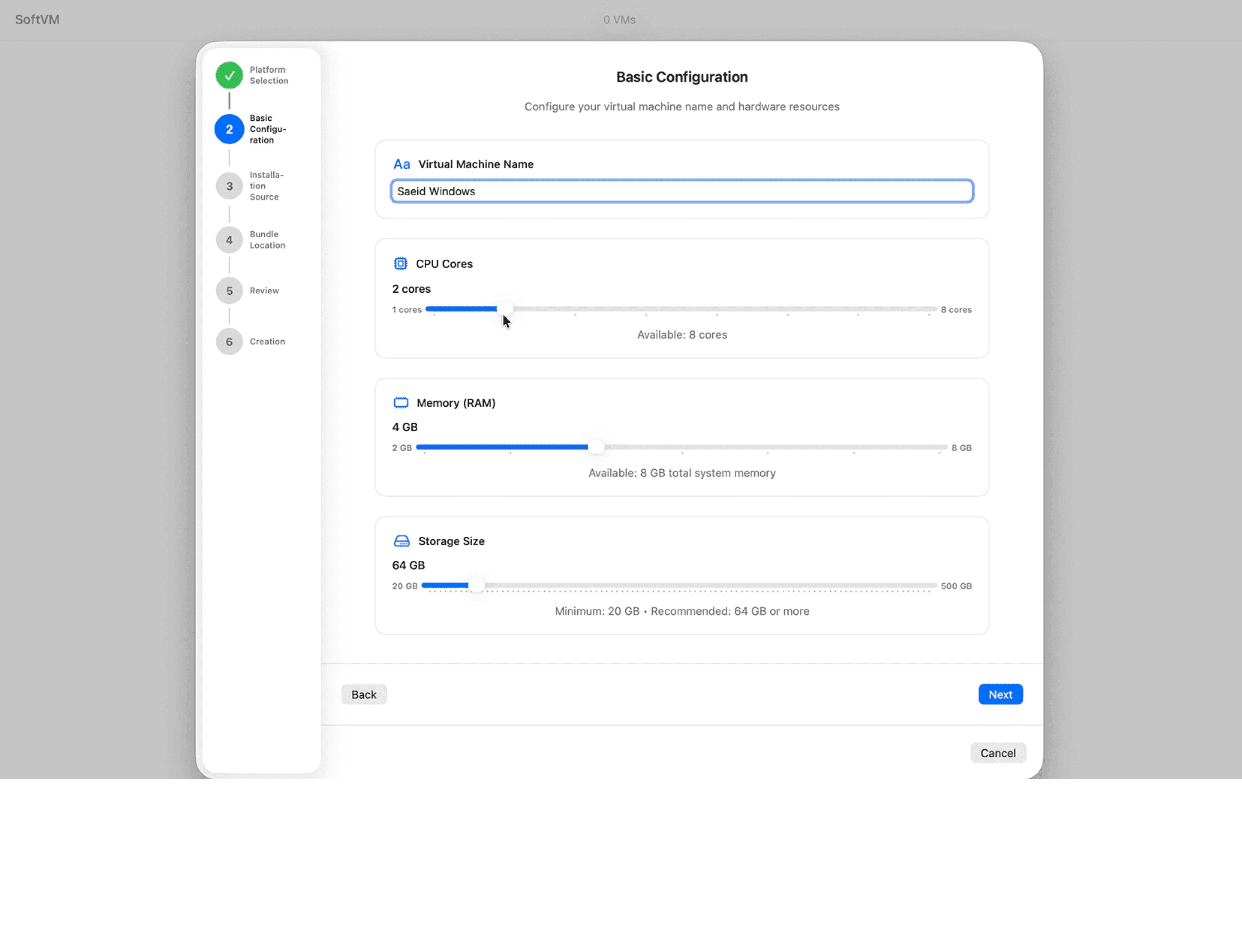
Adjust CPU, memory, and storage based on each VM’s needs.
Multi-VM workflow
Manage multiple machines at once without a heavy or cluttered setup.
Features
Built for focused VM management
Everything you need to run virtual machines smoothly on Apple Silicon.

Native virtualization
Built on Apple’s virtualization framework for efficient performance.

Advanced configuration
Fine-tune CPU, memory, storage, and network settings for each VM.

Beta OS testing
Safely test new macOS and Linux beta releases in isolated envs.

Apple Silicon optimized
Designed for M-series Macs with performance and efficiency in mind.

Clean VM dashboard
See your machines, status, and key resources at a glance.
Virtual Machine Workflows
Built to keep virtualization simple

Fast setup for everyday testing
Spin up macOS or Linux environments quickly when you need a separate workspace or test machine.
Fast setup for everyday testing
Spin up macOS or Linux environments quickly when you need a separate workspace or test machine.
Fast setup for everyday testing
Spin up macOS or Linux environments quickly when you need a separate workspace or test machine.

Flexible configuration for serious work
Control the resources behind each machine so every VM fits your development, QA, or experimentation workflow.
Flexible configuration for serious work
Control the resources behind each machine so every VM fits your development, QA, or experimentation workflow.
Flexible configuration for serious work
Control the resources behind each machine so every VM fits your development, QA, or experimentation workflow.
Platforms
Built for the systems you need

macOS
Run macOS virtual machines on Apple Silicon for testing and isolated workflows.

Linux (coming soon)
Launch mutliple Linux environments for development, server tasks, and experimentation and track real-time.

Apple Silicon
Optimized for M-series Macs using Apple’s native virtualization stack and lightweight execution.
How It’s work
Set up your virtual machines
Create a VM, choose the resources you need, and manage everything from one streamlined interface.
Create a machine
Set up a new macOS or Linux VM from inside the app.
Configure resources
Adjust CPU, memory, storage, and other settings to fit your use case.
Run and manage
Start, stop, and monitor your machines whenever you need them.
Testimonials
Made for developers and power users
SoftVM is built for people who want fast, focused virtualization on Apple Silicon.

Esther Howard
Product Manager, Taskway
5.0
"The system is built for our needs mainly focused on efficiency, visibility, and time savings."

Brooklyn Simmons
Team Lead, QuickFlow CRM
5.0
"This platform is perfectly aligned with our goals especially in automation and operational clarity."

Ralph Edwards
Director of Admin, BrightPath
5.0
"It’s the right solution for our business especially in automating routine tasks and saving hours."

Darlene Robertson
Director, LogiSync
5.0
“Agent automation fits our objectives well, particularly in eliminating repetitive work and improving flow."

Bessie Cooper
Operations Lead, FlexLogix
5.0
"These AI agents serve our operational needs perfectly especially in reducing task errors and delays."
Esther Howard
Product Manager, Taskway
5.0
"The system is built for our needs mainly focused on efficiency, visibility, and time savings."
Brooklyn Simmons
Team Lead, QuickFlow CRM
5.0
"This platform is perfectly aligned with our goals especially in automation and operational clarity."
Ralph Edwards
Director of Admin, BrightPath
5.0
"It’s the right solution for our business especially in automating routine tasks and saving hours."
Darlene Robertson
Director, LogiSync
5.0
“Agent automation fits our objectives well, particularly in eliminating repetitive work and improving flow."
Bessie Cooper
Operations Lead, FlexLogix
5.0
"These AI agents serve our operational needs perfectly especially in reducing task errors and delays."
Esther Howard
Product Manager, Taskway
5.0
"The system is built for our needs mainly focused on efficiency, visibility, and time savings."
Brooklyn Simmons
Team Lead, QuickFlow CRM
5.0
"This platform is perfectly aligned with our goals especially in automation and operational clarity."
Ralph Edwards
Director of Admin, BrightPath
5.0
"It’s the right solution for our business especially in automating routine tasks and saving hours."
Darlene Robertson
Director, LogiSync
5.0
“Agent automation fits our objectives well, particularly in eliminating repetitive work and improving flow."
Bessie Cooper
Operations Lead, FlexLogix
5.0
"These AI agents serve our operational needs perfectly especially in reducing task errors and delays."
Esther Howard
Product Manager, Taskway
5.0
"The system is built for our needs mainly focused on efficiency, visibility, and time savings."
Brooklyn Simmons
Team Lead, QuickFlow CRM
5.0
"This platform is perfectly aligned with our goals especially in automation and operational clarity."
Ralph Edwards
Director of Admin, BrightPath
5.0
"It’s the right solution for our business especially in automating routine tasks and saving hours."
Darlene Robertson
Director, LogiSync
5.0
“Agent automation fits our objectives well, particularly in eliminating repetitive work and improving flow."
Bessie Cooper
Operations Lead, FlexLogix
5.0
"These AI agents serve our operational needs perfectly especially in reducing task errors and delays."
Esther Howard
Product Manager, Taskway
5.0
"The system is built for our needs mainly focused on efficiency, visibility, and time savings."
Brooklyn Simmons
Team Lead, QuickFlow CRM
5.0
"This platform is perfectly aligned with our goals especially in automation and operational clarity."
Ralph Edwards
Director of Admin, BrightPath
5.0
"It’s the right solution for our business especially in automating routine tasks and saving hours."
Darlene Robertson
Director, LogiSync
5.0
“Agent automation fits our objectives well, particularly in eliminating repetitive work and improving flow."
Bessie Cooper
Operations Lead, FlexLogix
5.0
"These AI agents serve our operational needs perfectly especially in reducing task errors and delays."
Esther Howard
Product Manager, Taskway
5.0
"The system is built for our needs mainly focused on efficiency, visibility, and time savings."
Brooklyn Simmons
Team Lead, QuickFlow CRM
5.0
"This platform is perfectly aligned with our goals especially in automation and operational clarity."
Ralph Edwards
Director of Admin, BrightPath
5.0
"It’s the right solution for our business especially in automating routine tasks and saving hours."
Darlene Robertson
Director, LogiSync
5.0
“Agent automation fits our objectives well, particularly in eliminating repetitive work and improving flow."
Bessie Cooper
Operations Lead, FlexLogix
5.0
"These AI agents serve our operational needs perfectly especially in reducing task errors and delays."
Esther Howard
Product Manager, Taskway
5.0
"The system is built for our needs mainly focused on efficiency, visibility, and time savings."
Brooklyn Simmons
Team Lead, QuickFlow CRM
5.0
"This platform is perfectly aligned with our goals especially in automation and operational clarity."
Ralph Edwards
Director of Admin, BrightPath
5.0
"It’s the right solution for our business especially in automating routine tasks and saving hours."
Darlene Robertson
Director, LogiSync
5.0
“Agent automation fits our objectives well, particularly in eliminating repetitive work and improving flow."
Bessie Cooper
Operations Lead, FlexLogix
5.0
"These AI agents serve our operational needs perfectly especially in reducing task errors and delays."
Esther Howard
Product Manager, Taskway
5.0
"The system is built for our needs mainly focused on efficiency, visibility, and time savings."
Brooklyn Simmons
Team Lead, QuickFlow CRM
5.0
"This platform is perfectly aligned with our goals especially in automation and operational clarity."
Ralph Edwards
Director of Admin, BrightPath
5.0
"It’s the right solution for our business especially in automating routine tasks and saving hours."
Darlene Robertson
Director, LogiSync
5.0
“Agent automation fits our objectives well, particularly in eliminating repetitive work and improving flow."
Bessie Cooper
Operations Lead, FlexLogix
5.0
"These AI agents serve our operational needs perfectly especially in reducing task errors and delays."
Esther Howard
Product Manager, Taskway
5.0
"The system is built for our needs mainly focused on efficiency, visibility, and time savings."
Brooklyn Simmons
Team Lead, QuickFlow CRM
5.0
"This platform is perfectly aligned with our goals especially in automation and operational clarity."
Ralph Edwards
Director of Admin, BrightPath
5.0
"It’s the right solution for our business especially in automating routine tasks and saving hours."
Darlene Robertson
Director, LogiSync
5.0
“Agent automation fits our objectives well, particularly in eliminating repetitive work and improving flow."
Bessie Cooper
Operations Lead, FlexLogix
5.0
"These AI agents serve our operational needs perfectly especially in reducing task errors and delays."
Esther Howard
Product Manager, Taskway
5.0
"The system is built for our needs mainly focused on efficiency, visibility, and time savings."
Brooklyn Simmons
Team Lead, QuickFlow CRM
5.0
"This platform is perfectly aligned with our goals especially in automation and operational clarity."
Ralph Edwards
Director of Admin, BrightPath
5.0
"It’s the right solution for our business especially in automating routine tasks and saving hours."
Darlene Robertson
Director, LogiSync
5.0
“Agent automation fits our objectives well, particularly in eliminating repetitive work and improving flow."
Bessie Cooper
Operations Lead, FlexLogix
5.0
"These AI agents serve our operational needs perfectly especially in reducing task errors and delays."
Esther Howard
Product Manager, Taskway
5.0
"The system is built for our needs mainly focused on efficiency, visibility, and time savings."
Brooklyn Simmons
Team Lead, QuickFlow CRM
5.0
"This platform is perfectly aligned with our goals especially in automation and operational clarity."
Ralph Edwards
Director of Admin, BrightPath
5.0
"It’s the right solution for our business especially in automating routine tasks and saving hours."
Darlene Robertson
Director, LogiSync
5.0
“Agent automation fits our objectives well, particularly in eliminating repetitive work and improving flow."
Bessie Cooper
Operations Lead, FlexLogix
5.0
"These AI agents serve our operational needs perfectly especially in reducing task errors and delays."
Esther Howard
Product Manager, Taskway
5.0
"The system is built for our needs mainly focused on efficiency, visibility, and time savings."
Brooklyn Simmons
Team Lead, QuickFlow CRM
5.0
"This platform is perfectly aligned with our goals especially in automation and operational clarity."
Ralph Edwards
Director of Admin, BrightPath
5.0
"It’s the right solution for our business especially in automating routine tasks and saving hours."
Darlene Robertson
Director, LogiSync
5.0
“Agent automation fits our objectives well, particularly in eliminating repetitive work and improving flow."
Bessie Cooper
Operations Lead, FlexLogix
5.0
"These AI agents serve our operational needs perfectly especially in reducing task errors and delays."
Help & Support
Frequently asked questions?
Everything you need to know about setup, supported systems, and how SoftVM works.
What is SoftVM?
SoftVM is a lightweight Mac app for running virtual machines on Apple Silicon.
Which operating systems does SoftVM support?
Is SoftVM built for Apple Silicon Macs?
Can I adjust CPU, memory, and storage for each VM?
Can I use SoftVM to test beta operating systems?
Can I manage multiple virtual machines at once?
Help & Support
Frequently asked questions?
Everything you need to know about setup, supported systems, and how SoftVM works.
What is SoftVM?
SoftVM is a lightweight Mac app for running virtual machines on Apple Silicon.
Which operating systems does SoftVM support?
Is SoftVM built for Apple Silicon Macs?
Can I adjust CPU, memory, and storage for each VM?
Can I use SoftVM to test beta operating systems?
Can I manage multiple virtual machines at once?
Help & Support
Frequently asked questions?
Everything you need to know about setup, supported systems, and how SoftVM works.
What is SoftVM?
SoftVM is a lightweight Mac app for running virtual machines on Apple Silicon.
Which operating systems does SoftVM support?
Is SoftVM built for Apple Silicon Macs?
Can I adjust CPU, memory, and storage for each VM?
Can I use SoftVM to test beta operating systems?
Can I manage multiple virtual machines at once?

Run virtual machines on your Mac without the overhead
Download SoftVM to create, configure, and manage macOS and Linux virtual machines on Apple Silicon.
Run virtual machines on your Mac without the overhead
Download SoftVM to create, configure, and manage macOS and Linux virtual machines on Apple Silicon.
Run virtual machines on your Mac without the overhead
Download SoftVM to create, configure, and manage macOS and Linux virtual machines on Apple Silicon.